


YouTube review
 Analysis by GetAllApps
I keep YouTube on my phone because it is less a single-purpose video player than a dependable way to find something useful, entertaining, or worth saving for later. Its biggest strength is the connection between videos and channels: once I find a creator whose explanations or style suit me, I can return to that source instead of starting every search from scratch. That makes the app handy for everything from following a repair walkthrough to filling a short break with music or comedy.
Following channels turns video discovery into a routine
The feature I find most valuable is the channel-centered experience. A video can answer one question, but a channel gives me a reason to come back. I can browse a creator’s other uploads, keep up with new material, and build a more familiar set of sources around the subjects I care about. In practice, that is often more useful than a recommendation that happens to match one search.
YouTube is Google LLC’s free video player and editor app, though the everyday appeal for most viewers is clearly the watching and discovery side. It sits in a category crowded with streaming services and specialist players, but its mix of individual creators, established publishers, tutorials, commentary, and entertainment gives it a different role. I use it less like a carefully scheduled TV service and more like a searchable library that keeps changing.
The scale helps explain why it is so familiar: it has more than ten billion installs, an average rating of 3.8 from around 172 million ratings, and roughly three million reviews. Those figures are context, not a guarantee that every viewing session will be smooth. My experience depends heavily on what I search for, which channels I follow, and how much time I want to spend choosing what to watch.
Why channels matter more than a single recommendation
When I discover a useful channel, the payoff is cumulative. A good cooking video may lead me to a creator’s other recipes; a clear explanation of a software problem may point me toward a whole series. This is especially helpful for subjects where one clip is not enough, such as learning a practical skill or following a topic over time. I can treat the channel as a continuing source rather than relying on a fresh search each time.
There is a trade-off: recommendations can make it easy to stay within familiar territory. I try to use search deliberately when I want a different perspective, rather than letting the next suggested video make every decision. For a broad topic, checking several creators can also help me distinguish a focused explanation from a quick opinion. The app is very good at offering more to watch, but I still need to choose what deserves my attention.
How I use it without losing track of the original task
For a practical search, I start with the exact problem rather than a vague subject. If I need to understand why a household appliance is making a particular noise, I search for that symptom and the appliance type, then look for a video that shows the relevant steps clearly. I check the channel and the surrounding uploads before committing to a longer watch. That small pause helps me avoid clicking through several entertaining but unhelpful results.
When I find something worth returning to, I use the app’s saving and history tools as a lightweight viewing workflow: keep a useful clip for later, then revisit it when I have the time or the task in front of me. This works well for recipes, exercise demonstrations, and explanations with steps that are easy to forget. I would not treat a saved video as a substitute for written notes when precision matters, but it is a convenient visual reminder.
One non-obvious benefit is that a video can be useful even when I do not watch it straight through. For a repair or cooking task, I can move to the part that demonstrates the action I need, compare it with what I am doing, and return to the explanation if I get stuck. That makes YouTube more practical than a purely passive entertainment service, although it depends on the creator making the important steps easy to follow.
For quick viewing, I also think about the viewing context before opening the app. A phone is convenient for a short clip, but a long lesson is easier to follow when I can give it proper attention and a larger screen. If I am out and only have a few minutes, I search for a specific answer rather than opening the feed with no plan. That habit makes the app feel like a tool instead of an endless queue.
A realistic day-to-day use: learning while cooking
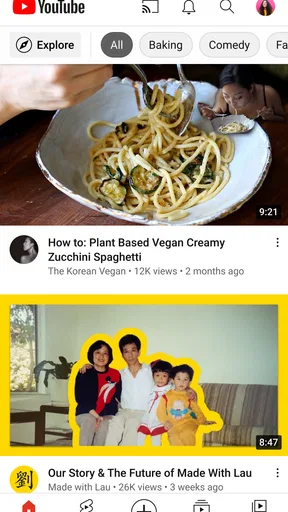
Imagine I am preparing a dish I have not made before. I search for the technique I need, choose a creator whose instructions are easy to see, and keep the video nearby while I work. If I need to check a particular step again, I can return to that point instead of reading a long article with wet hands. Afterward, the channel may be worth following if its other recipes are equally clear.
The same pattern works for a home project or a short lesson: search narrowly, judge whether the presenter actually demonstrates the process, and use the channel’s other videos to see whether the explanation is consistent. I find this more effective than watching a string of loosely related recommendations. It also gives me a sensible stopping point: once I have the answer, I can close the app rather than drifting into unrelated viewing.
This is where YouTube differs from a conventional streaming service. A subscription platform is often better when I already know which film or series I want and value a curated catalogue. YouTube is stronger when I want a particular explanation, a creator’s ongoing work, or a range of perspectives on the same subject. A dedicated music service can be a better fit for uninterrupted listening, while a local video player is preferable when I simply want to play files already stored on my device.
Where the experience asks for patience
The main weakness is not a lack of material but the work of choosing among it. Search results can vary in clarity and depth, and recommendations may pull me away from my original purpose. I have learned to check whether a video answers the question in its title and whether the creator gives enough context to make the advice usable. For medical, financial, or other consequential decisions, I would not rely on one clip alone; I would seek dependable sources beyond a video feed.
There is also a difference between finding a video and enjoying the whole viewing experience. Ads, interruptions, or a creator’s presentation style can make a promising result less pleasant than expected. The app is free to download, but it includes in-app purchases priced from five cents to $999.99 per item, so I would review any purchase screen carefully rather than assume every option is included at no cost. I would choose it for access and breadth, not for a promise of a distraction-free session.
Another practical limitation is that video is not always the right format. If I need to scan a precise instruction quickly, a written guide may be faster than searching through footage. If I need a reliable offline reference, I would plan ahead and check the options available to me rather than assume every video can be kept for later viewing. And if I am trying to avoid screen time, YouTube’s abundance can work against that goal: having a clear search in mind makes a real difference.
Who gets the most from it
I would recommend the app to people who learn by watching demonstrations, follow independent creators, or want one place to search across a wide range of video subjects. It is particularly useful when an explanation benefits from seeing the object, movement, or process rather than reading about it. Teen is the content rating, so families should still make viewing choices with the intended viewer in mind; a broad platform calls for more selectivity than a narrowly focused children’s service.
Someone who mainly watches a small set of films, wants a tightly curated catalogue, or prefers to avoid recommendations and frequent choices may be happier with a conventional streaming app. People who need a focused music-listening experience may also prefer a dedicated audio service. I see YouTube as a strong companion to those options, not an automatic replacement for every one of them.
The app was released on October 20, 2010, and its long presence is reflected in how many different kinds of viewing it supports. Still, its value for me comes down to a simple habit: find a useful channel, search with a purpose, and save only what I genuinely expect to revisit. If I follow that approach, its depth feels like a practical resource rather than a pile of distractions. For learning from real demonstrations and keeping up with creators, it is one of the most useful video apps I reach for.
YouTube is not my first choice when I want a polished, uninterrupted programme or a tightly controlled viewing environment. But when I need a visual answer, want to explore a creator’s work, or have a few minutes to watch something specific, it earns a place on my phone. I would recommend it most to curious viewers who are willing to steer their own viewing instead of expecting the app to make every choice for them.
Pros and cons
Pros
- Subtitles make videos easier to follow in many languages.
- Playback speed controls help you watch at your preferred pace.
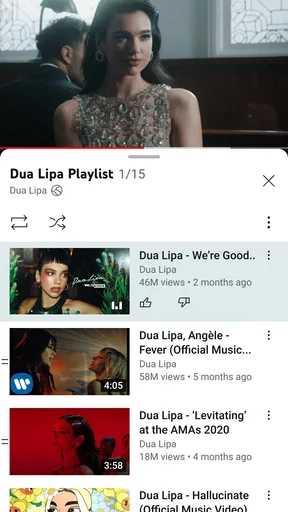
- You can create playlists to organize videos for later.
- Casting sends videos to compatible TVs and speakers.
- Channels let you follow creators and get new video updates.
Cons
- Some videos contain frequent ads.
- Background playback may require a paid subscription.
- Video quality can use a lot of mobile data.
- Recommendations may keep showing similar content.
- Comments can include spam or offensive material.


